Two New Databases – AtoZ Databases & JSTOR

Accessing & Using AtoZ Databases

The A to Z Databases logo. Below it is text detailing that A to Z databases provides "Free Email Marketing, Job Search, Mailing Lists & Sales Leads, People Look-up, and Business Profiles".


From https://app.atozdatabases.com/aboutus: “AtoZdatabases is the premier reference and marketing database marketed to Library, Academic, and Government institutions throughout the U.S. This simple, user-friendly, web-based solution provides details on businesses and households within the U.S.” 

The Library provides access to AtoZ Databases onsite as well as from home. Users on a Library computer or on the Library network will automatically have access. Users on offsite devices will have to sign in with their Morristown & Morris Township Library barcode and PIN. When accessing AtoZ databases using our library, you should see the Library’s logo under the AtoZ Databases toolbar. 
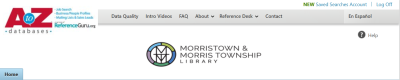
A screenshot of the A to Z Databases homepage featuring the Morristown & Morris Township Library logo.

All of AtoZ Databases’ search functions are featured on the Home page. Each square is dedicated to a different search, with tabs to toggle between search options. 
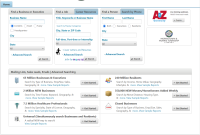
AtoZ Databases includes Intro Videos on each of its different functions for more information.

Accessing & Using JSTOR

From about.jstor.org: “JSTOR partners with libraries, museums, and publishers to preserve and bring to life scholarly materials. We use advanced technology to provide sustainable, affordable access to a vast collection of primary and secondary sources from around the world.”

The Library provides access to all JSTOR Archive Collections and JSTOR Primary Sources Collections.

JSTOR is available onsite at the Morristown & Morris Township Library. When accessing jstor.org, you should see a banner saying “Access provided by Morristown & Morris Township Library” at the top of the page as long as you are connected to the Library’s network.

"Access provided by Morristown & Morris Township Library" banner.

From the homepage, you can search all of JSTOR for your research subject. 
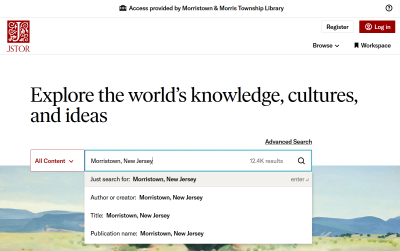
 

The JSTOR homepage with a preview of a search for Morristown, New Jersey.

On the results page, you can use the “Refine Results” options to limit by parameters including Content Type, Date and Subject. Next to each result, you can Download the content, Save it to your JSTOR account, or Cite the article in MLA, Chicago or APA format. (Only the Save option requires a JSTOR account.)
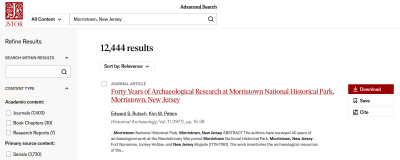
JSTOR's results page for a search for the keywords "Morristown, New Jersey". There are options to "Refine Results" in a sidebar on the left. The results of the search are displayed with Download, Save and Cite options.

Or, you can browse by collection from JSTOR’s Collection List

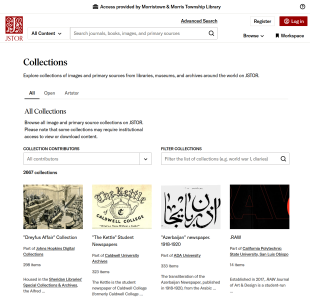
A preview of JSTOR's Collection List webpage, which lists collections individually.

JSTOR includes featured LibGuides for further information on using its search functions, including a How to Use JSTOR guide

Acceso en línea al Star-Ledger

A partir del 2 de febrero de 2025, el periódico The Star-Ledger dejará de publicarse en papel y va a ser un periódico exclusivamente en línea. Ofrecemos acceso a la edición digital del Star-Ledger desde cualquier lugar a través de NewsBank.

Haga clic en el botón para comenzar:


Cuando acceda al Star-Ledger desde su casa, se le pedirá que ingrese el número de su tarjeta de biblioteca.

Se abrirá la página de la Colección Star-Ledger. (También puede encontrar la Colección Star-Ledger en nuestra página de Bases de datos de investigación.)

Una vez que esté en la página de la Colección Star-Ledger, haga clic en el enlace de la versión de imagen del periódico para abrir la edición digital completa.

Desde aquí, puedes ver los últimos 5 ediciónes recientes y también ver un archivo de ediciónes más antiguos.

Uno de nuestros bibliotecarios pueda ayudarle a obtener acceso.

The Star-Ledger Online Access

As of February 2nd, 2025, The Star-Ledger newspaper will cease print publication and become an online-only newspaper. We offer access to the digital edition of the Star-Ledger from any location and device through NewsBank. Here’s how!

Click the button below to get started:


This will open up the Star-Ledger Collection homepage. You can also find The Star-Ledger Collection on our Research Databases page.

When you are accessing the Star-Ledger from home, you’ll be prompted to enter your Library Card Number.

Once you are on the Star-Ledger Collection page, click on the link for Image version of the newspaper to pull up the complete digital edition.

From here, you can view the past 5 days of recent issues, and view an archive of older issues as well.

Feel free to ask a librarian for any further assistance.